
Astro uses Vite as the default compiler, but Vite has a rendering issue on the prettier-ed hyperlink tags, let me explain.
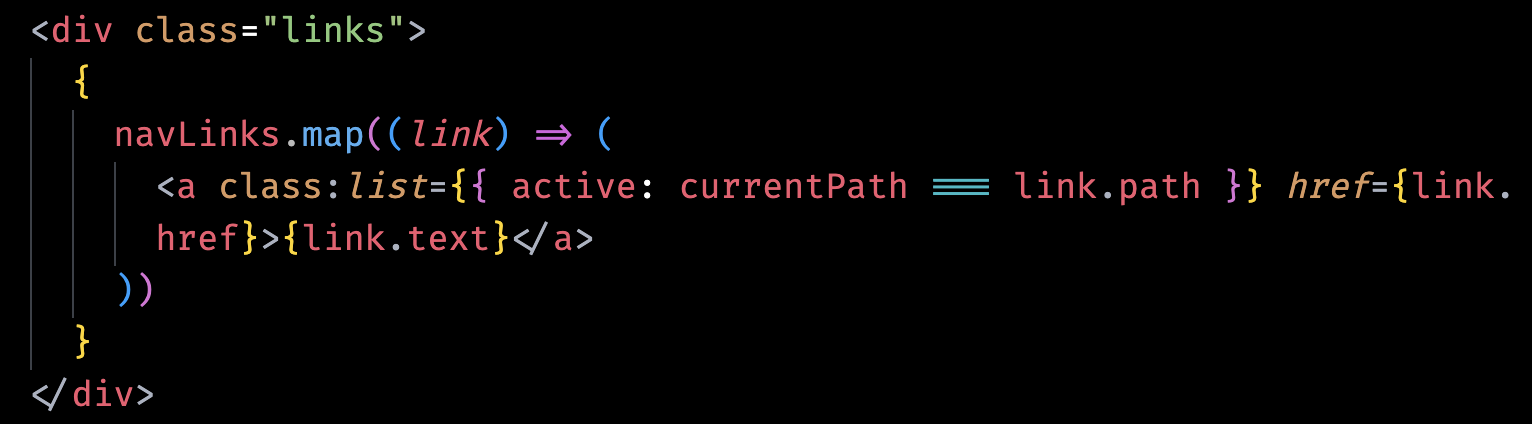
When my code looks like the screenshot above, everything is fine. But, Prettier will format the code to the below code block(if you’re not using a monster-size screen and beast-level resolution), please notice the {link.text} is on a separate line.
<div class="links">
  {
    navLinks.map((link) => (
      <a class:list={{ active: currentPath === link.path }} href={link.href}>
        {link.text}
      </a>
    ))
  }
</div>
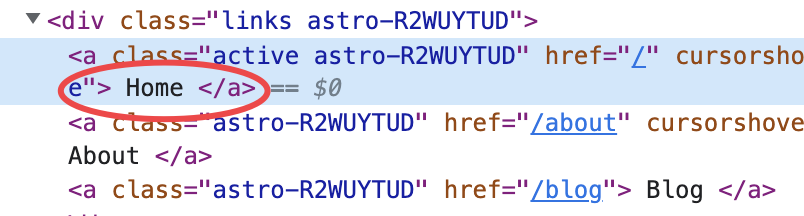
Seems nothing special, but Vite doesn’t agree, this will add a ghost trailing whitespace to link text, like the screenshot below.

In the Inspector view, the text of the <a> element does have additional whitespaces wrapping it, as in the screenshot below.
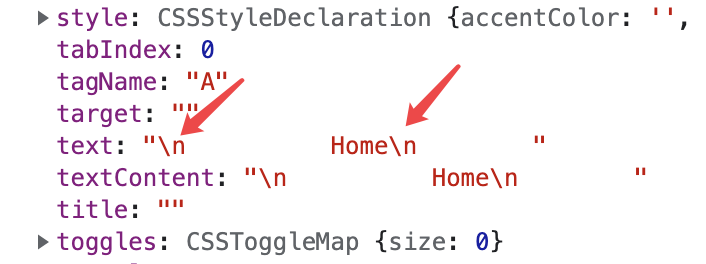
When printing out the <a> elements NodeList in Console, it’s easy to address the issue, the textContent, text, and even the innerHTML attributes are all wrapped by additional lines(\n) and whitespaces, as the screenshot below.
Nail it, so the fix plan hit me first is native javascript like below.
const allLinks = document.querySelectorAll('.links a');
allLinks.forEach((link) => {
  link.innerHTML = link.innerText.trim();
});
CHECK! FIXED!
But, WAIT! We can’t expect Vite to fix the issue right now, so Prettier is the next one to blame, why not just fix it a “Prettier” way? After search the Prettier documentation, here is the clean cut.
<div class="links">
  {
    navLinks.map((link) => (
      <!-- prettier-ignore -->
      <a class:list={{ active: currentPath === link.path }} href={link.href}>{link.text}</a>
    ))
  }
</div>
By adding the <!-- prettier-ignore --> above the code block, which I want to keep it as is, Prettier skips the code block, no more ghost whitespaces. Job done! Skillset acquired ✅